
This is what the app looks like.
Seven screens, a typical sequence. Browse through them.
-
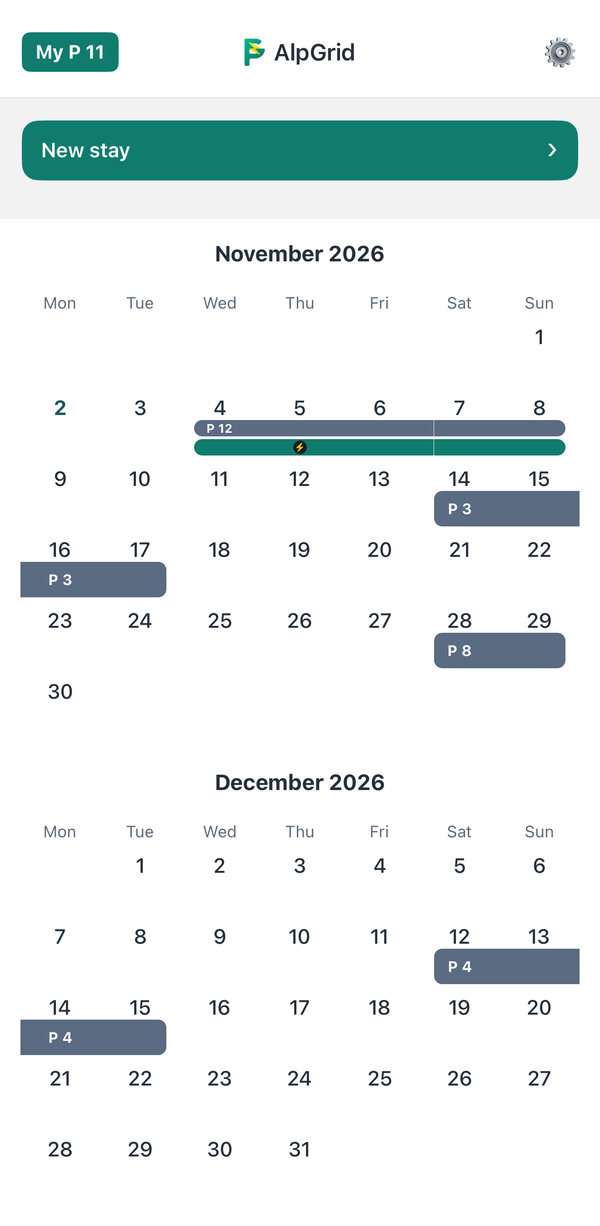
1 Add your stay
The calendar shows your stays and reservations at a glance. With “New stay” you enter when you will be there, and if needed a second spot for visitors or a second car.
-
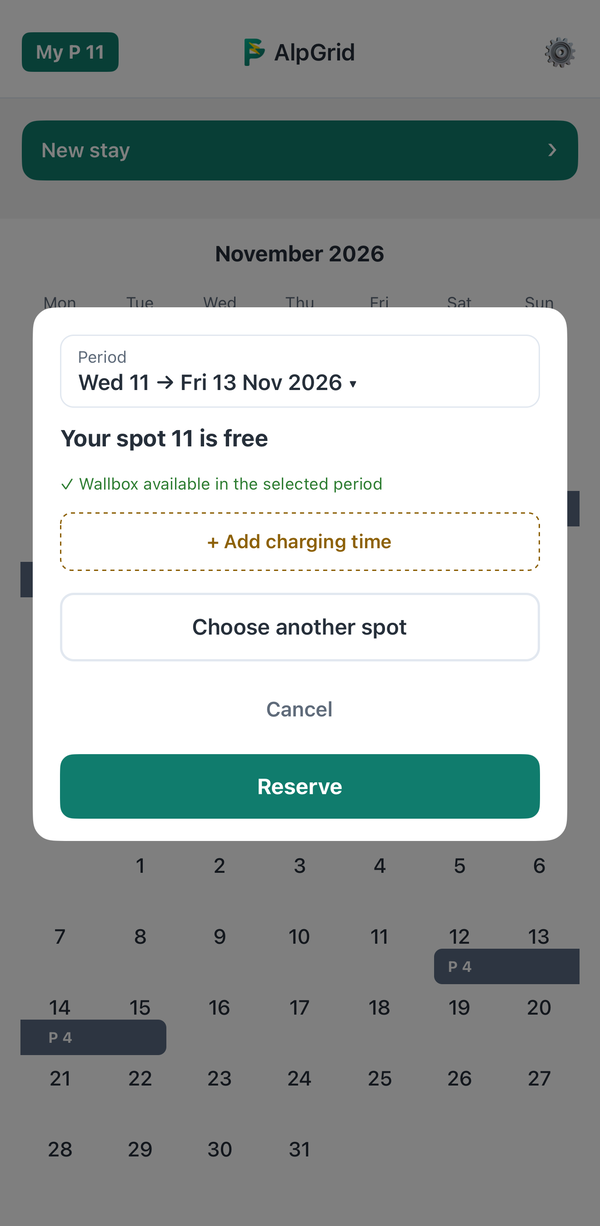
2 Your spot is suggested
If your own spot is free, AlpGrid suggests it. If it has wallbox access, you can add charging times right here. With “Choose another spot” you take a different free spot.
-
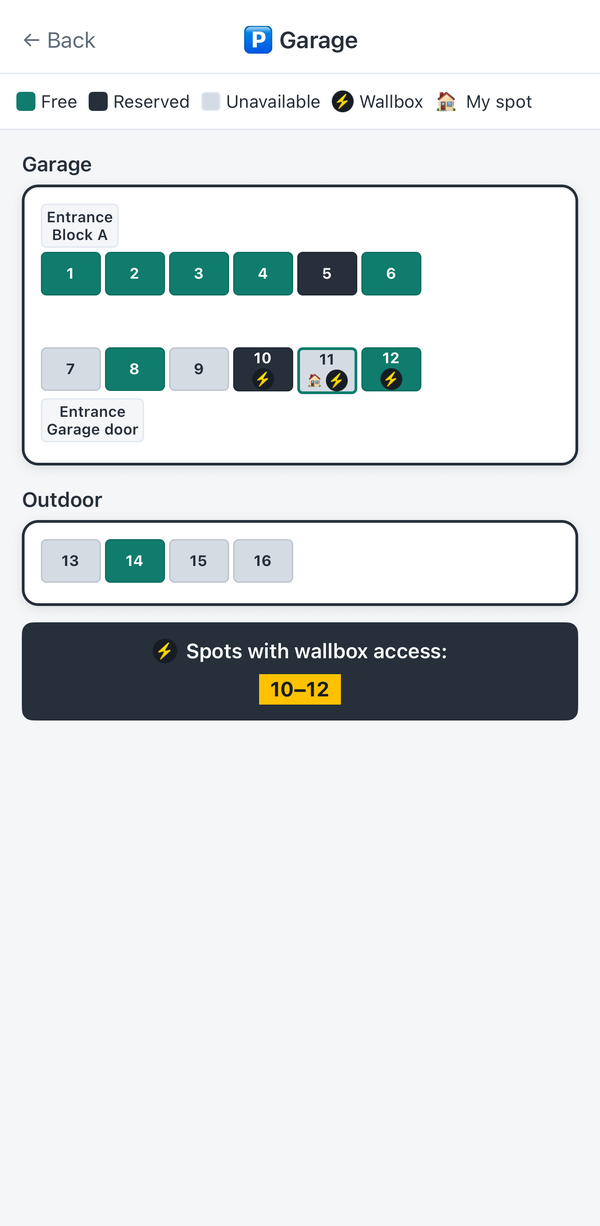
3 Free spots at a glance
The garage plan shows which spots are free for your dates. Dark spots are taken. Whether by the owner or by someone else is not shown. Grey spots can't be reserved at the moment, for example because they haven't been shared yet. Spots with wallbox access are marked.
-
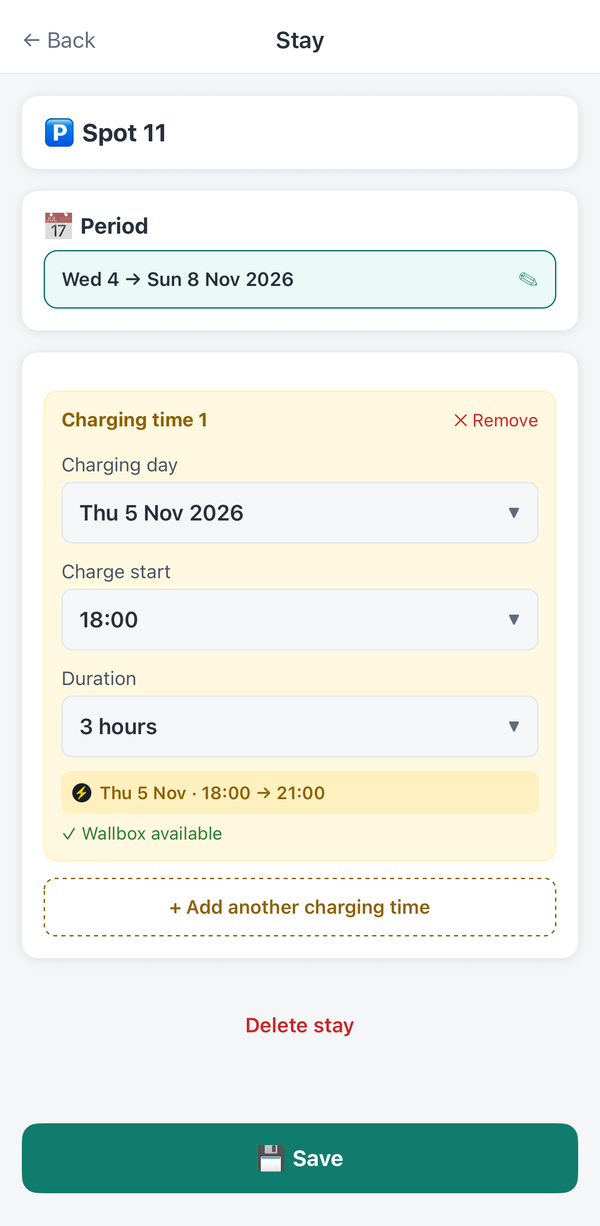
4 Reserve charging time
At a shared wallbox you reserve your charging time by the hour. The app shows right away whether the wallbox is free then.
-
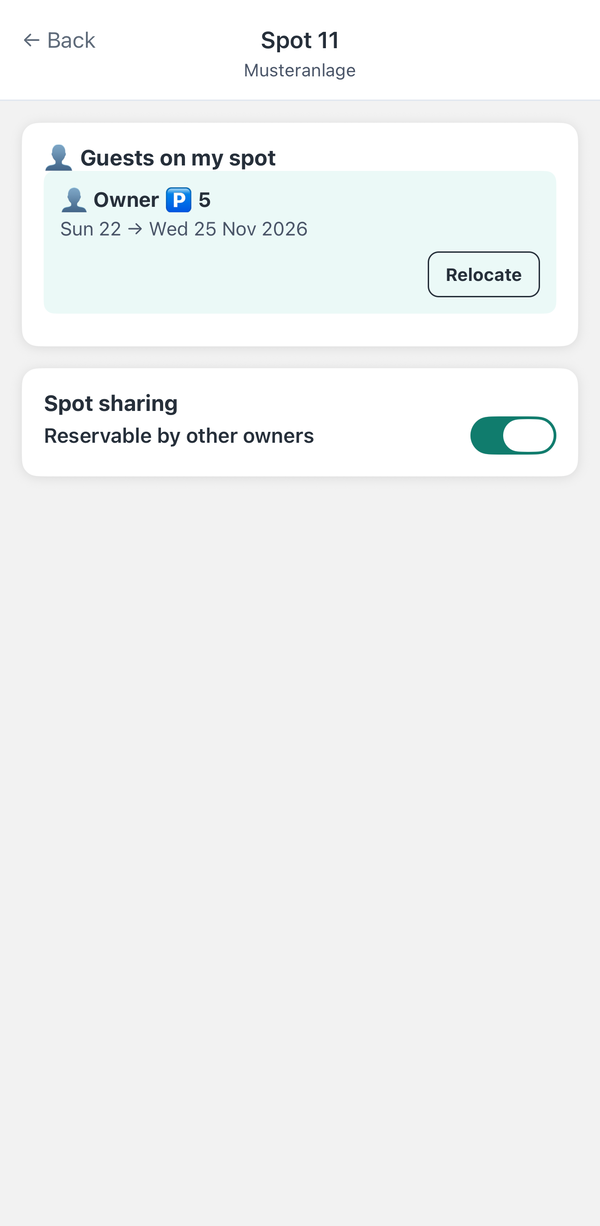
5 Your spot stays your spot
Under “My P” you see who has reserved your spot, shown by spot number, not by name. If you need it yourself, take it back with “Relocate”, as long as the other person arrives the day after tomorrow at the earliest. AlpGrid automatically looks for a replacement spot for them and notifies them.
-
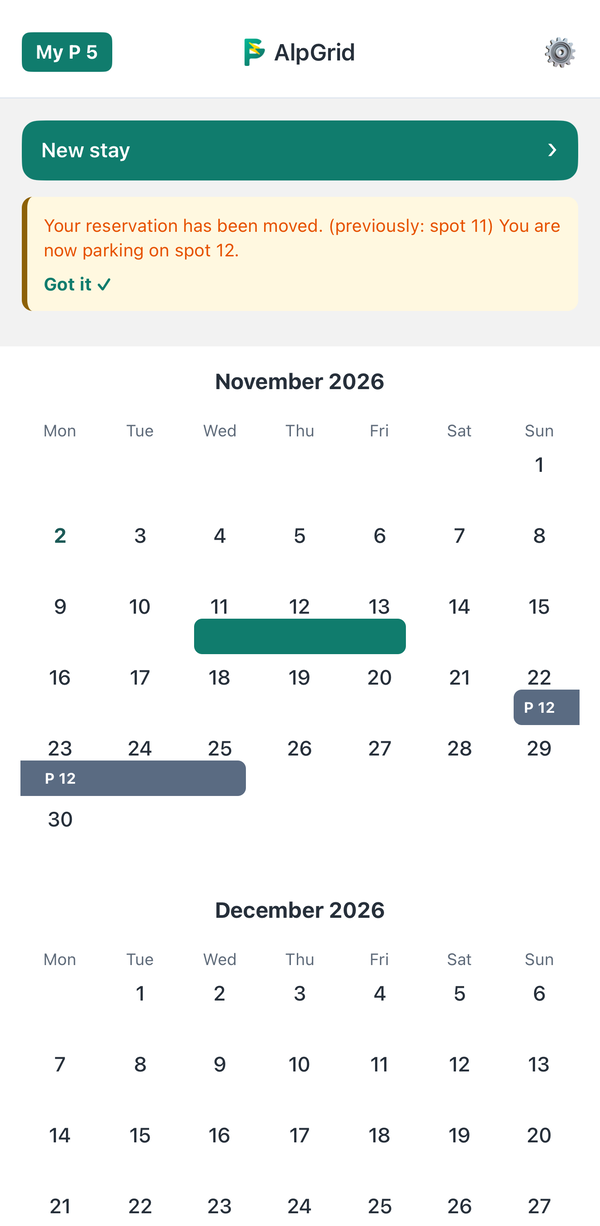
6 Automatically rebooked
If another spot is free, the app shows the other person their new spot. They also receive an email and, if enabled, a notification. Nobody has to make a phone call.
-
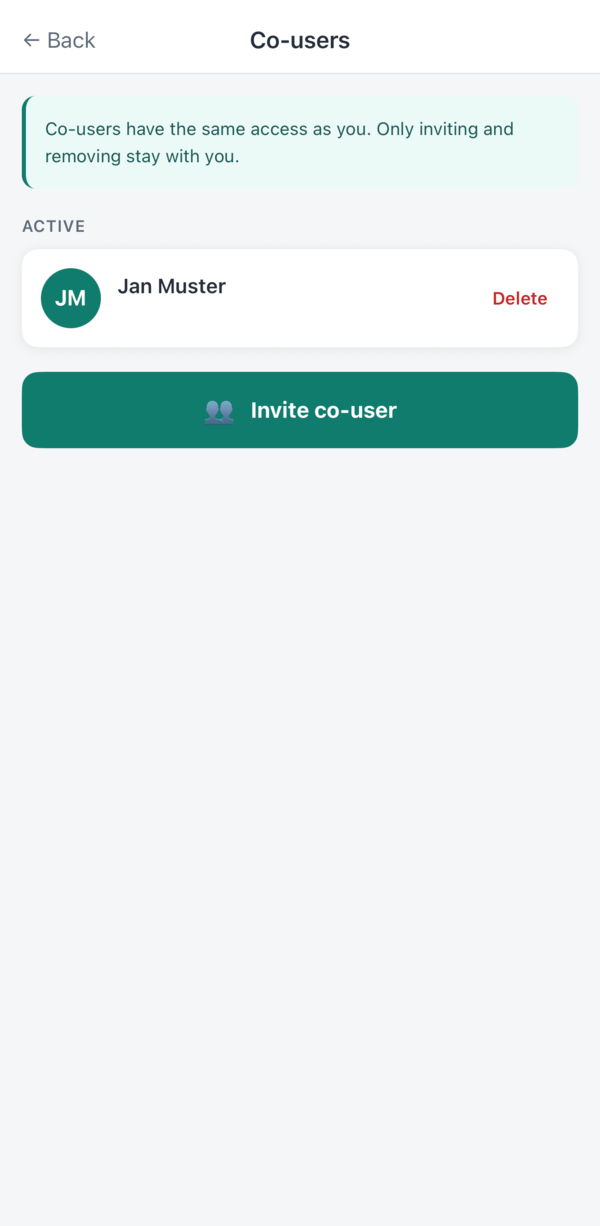
7 Invite your family
You invite family members by email. Each one gets their own access and can enter stays and charging times themselves.


-
Are you a property manager or on the owners' committee?
We will gladly send you a quote for your complex.
The app is expected on the App Store and Google Play in winter 2026/27. Property managers can already request a quote and have their complex prepared.
-
Are you an owner?
Send your property manager the link to this page.